Einsia Installation Guide
1.Download the Google Chrome extension here:
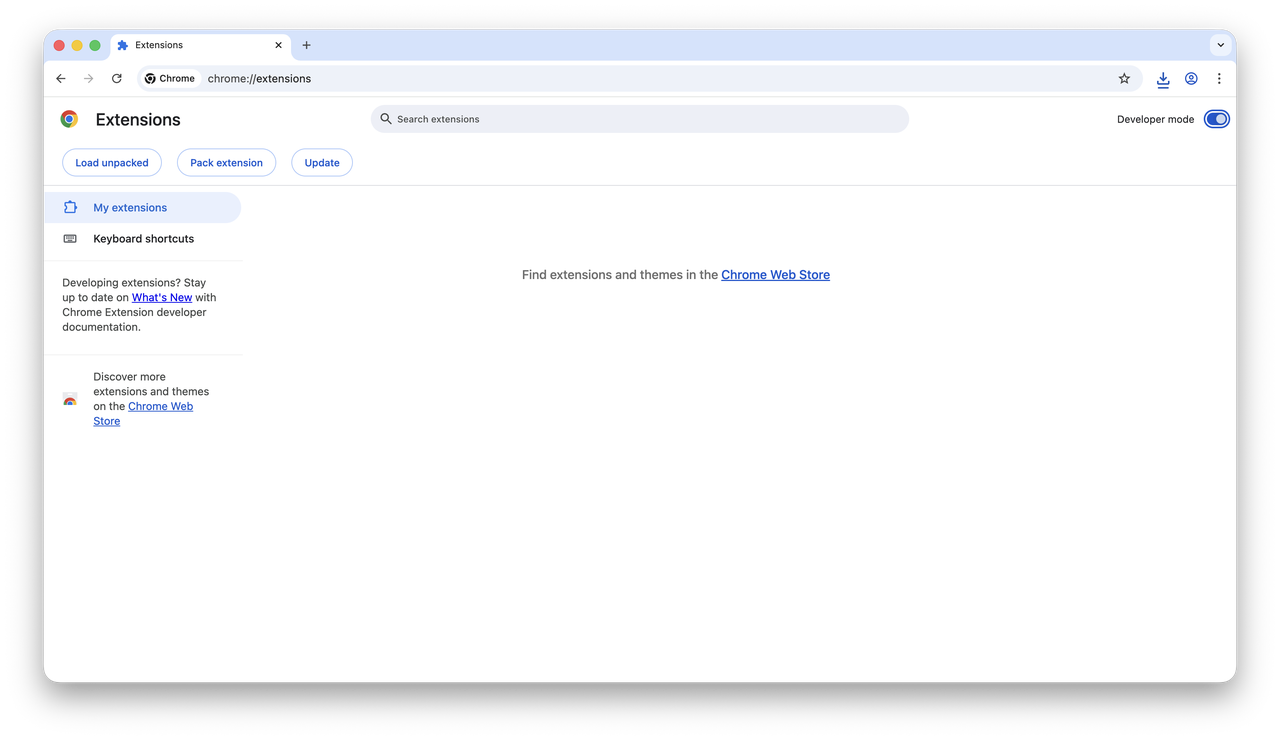
Add plugin to Chrome2.Open Google Chrome, go to chrome://extensions, and turn on Developer mode in the top right.
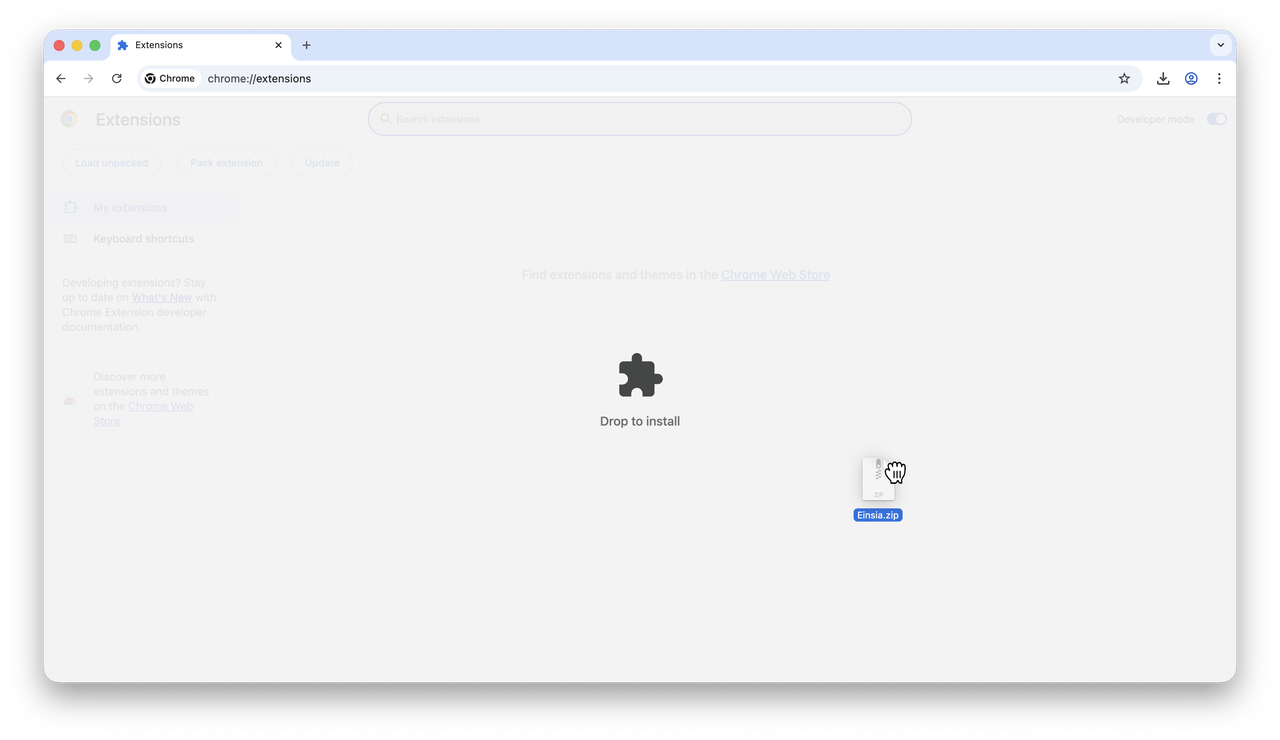
3.Drag and drop the downloaded ZIP file into the Extensions page.
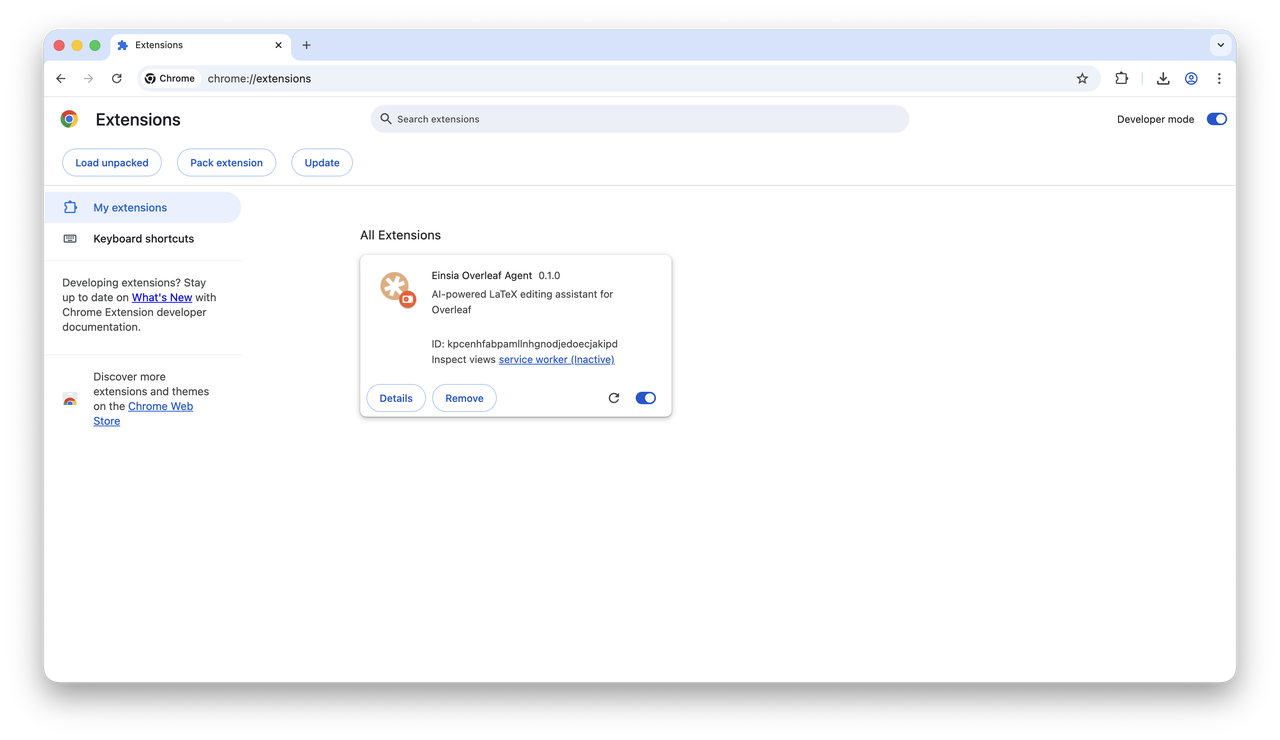
4.The extension should now be installed and ready to use.
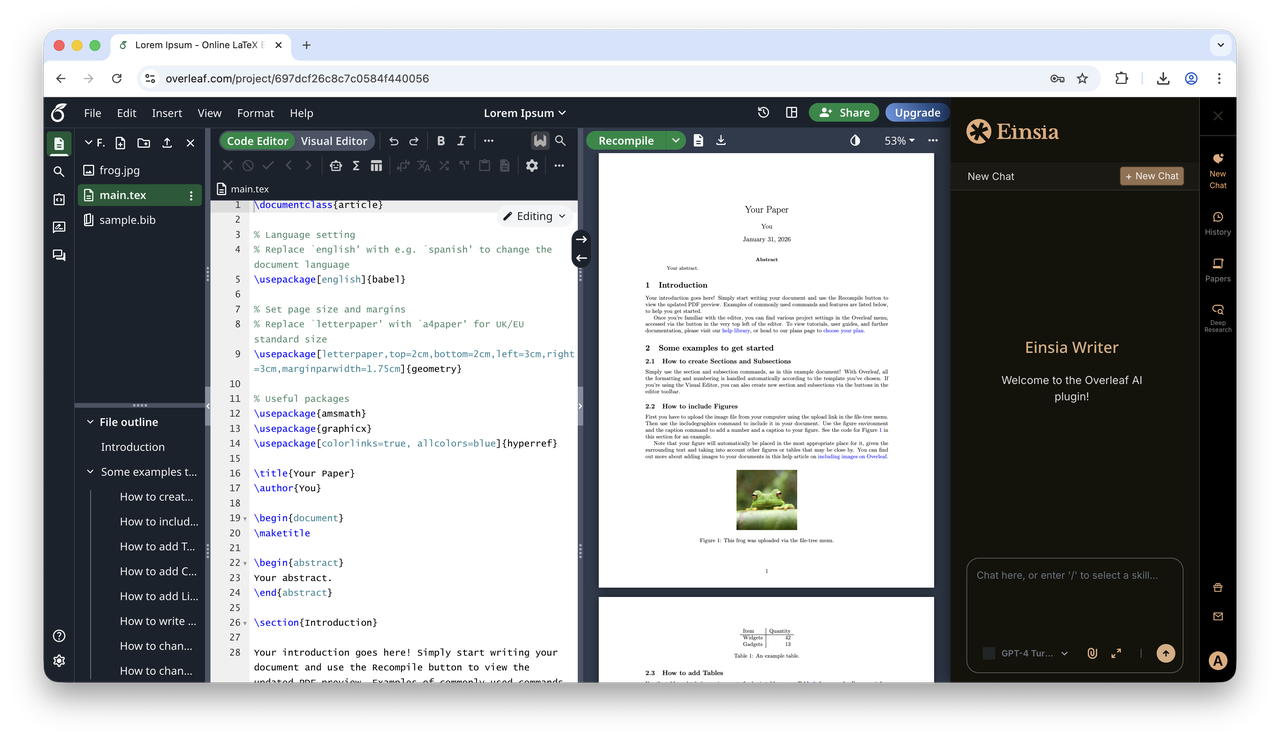
5.Open any project in Overleaf and start using Einsia. Enjoy! 🎉